Beyond Bitcoin: Using Your Ledger or Trezor to Secure Your Digital Identity and Emails
Your Hardware Wallet is More Than a Vault for Coins
30 January 2026 • 4 min read
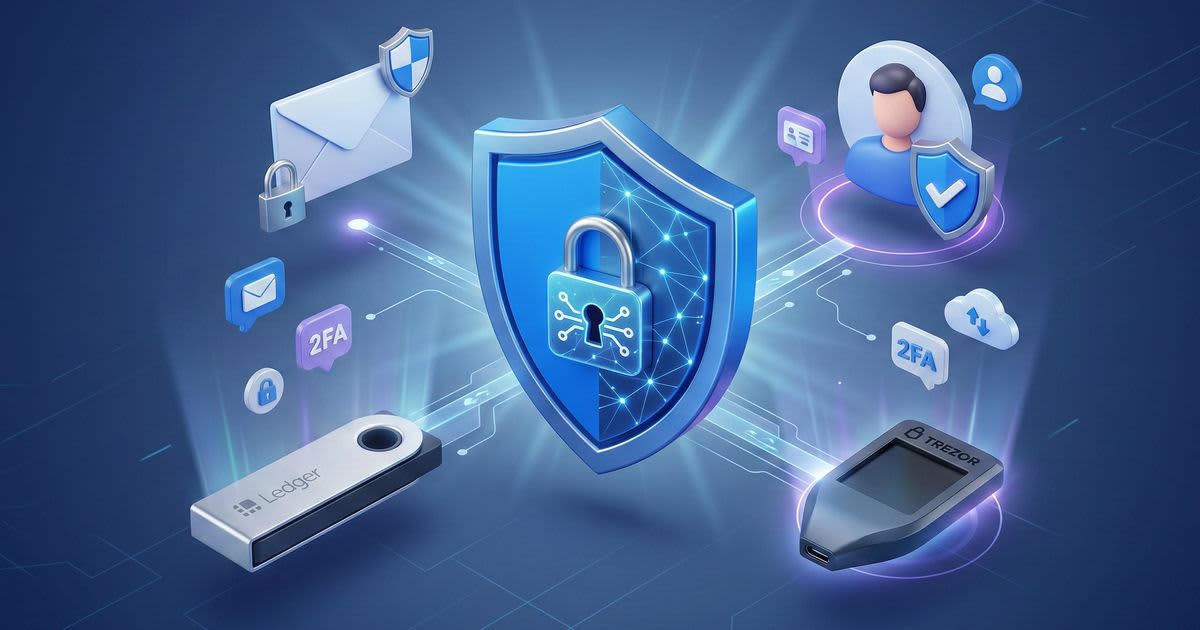
If you own a Ledger or a Trezor, you probably bought it for one reason: to keep your private keys away from hackers. You understand that from Mt. Gox to now, self-custody became non-negotiable because relying on third parties is a gamble. But while your Bitcoin is sitting safely in "cold storage," your digital identity, such as your Gmail, your social media, and your professional accounts might still be guarded by nothing more than a flimsy password and a text message code.
It is time to level up. That same device you use to sign transactions can also sign you into your digital world, creating an unhackable barrier between you and identity thieves.
The Invisible Threat to Your Identity
Most people believe that Two-Factor Authentication (2FA) via SMS or an app like Google Authenticator is enough. While better than nothing, these methods have a "soft" underbelly. SMS can be intercepted via SIM swapping, and even authentication apps can be tricked by clever phishing sites that look identical to the real thing.
Hardware wallets use a protocol called FIDO2/U2F. When you use your device as a security key, it doesn't just provide a code; it performs a cryptographic handshake with the website. This means even if a hacker steals your password and creates a perfect fake login page, they cannot bypass the physical button press required on your device.
Why Your Email is the "Crown Jewel"
Think about what happens if someone gains access to your primary email. They can initiate password resets for your bank, your crypto exchanges, and your cloud storage. By setting up your hardware wallet as a FIDO2 security key, you lock the front door to your entire digital existence.
Both Ledger and Trezor support this standard. Once configured, logging into your email on a new device will require you to physically connect your wallet and tap the screen or button. It is the ultimate "Proof of Presence."
Protecting More Than Just Assets
Expanding the utility of your hardware wallet changes how you interact with technology. Much like the psychology of HODLing shows why physical hardware changes your relationship with money, using a physical key for your identity builds a "security-first" mindset.
You can use your device to secure:
- Social Media: Prevent account takeovers on X (Twitter), Facebook, and Instagram.
- Cloud Storage: Lock down your private photos and documents on Google Drive or Dropbox.
- Development Tools: Secure GitHub or GitLab accounts to prevent malicious code injections.
How to Get Started
- Install the App: On Ledger, install the "FIDO U2F" app via Ledger Live. On Trezor, FIDO2 functionality is often baked into the firmware.
- Navigate to Security Settings: Go to the security settings of your Google, Microsoft, or Binance account.
- Add Security Key: Select "Add Security Key" and follow the prompts to connect and tap your hardware wallet.
- Have a Backup: Always have a secondary key (like another wallet or a YubiKey) in case you lose your primary one.
Take-Away: The Ultimate Digital Fortress
Your hardware wallet is a versatile tool that bridges the gap between financial security and personal privacy. By moving beyond Bitcoin and using your Ledger or Trezor for identity management, you eliminate the risk of remote hacking. You wouldn't leave your house unlocked; don't leave your digital identity open to the world.
Related posts
Global markets fracture as digital currency rollout triggers capital flight to physical assets
4 August 2026 • 4 min read
Rising real yields and strict crypto regulations push investors into tokenized precious metals
6 October 2026 • 3 min read
The legislative war on prediction markets collides with the sovereign crypto stockpile race
23 August 2026 • 5 min read

The rise of deepfake phishing and why physical hardware is your best defense
2 March 2026 • 4 min read

The trillion dollar pivot from digital software to physical infrastructure and hard money
30 August 2026 • 3 min read
Protectionist trade policy and energy shocks ignite an institutional flight to hard assets
8 August 2026 • 3 min read